A working environment trapped inside my MacBook
When I used Claude or ChatGPT for a while, the frustrating part was not the answer itself.
The AI was not bad at the work. In many cases, it was quite good. The problem was that the environment around my AI usage was fragmented.
My AI_System was almost trapped inside my MacBook. The files were local. I had to open the MacBook to access them. Continuing from my phone was awkward, and when the MacBook was off, nothing kept running.
The AI worked the same way. I had to open the chat, find the relevant files, and explain what I had been doing. Claude was in one place, Codex was in another, and project files were somewhere else.
The first problem was not some grand idea about knowledge management. I simply disliked that my working environment was tied to one specific device.
I did not want to use AI only as a chatbot. I wanted it to become part of my working environment. Not a folder or note trapped inside my MacBook, but something I could access anywhere and continue from. In a sense, I wanted to build my own personal OS.
The idea of a personal OS
By OS, I do not mean that I wanted to build an actual operating system.
What I wanted was a working environment where my tools, files, projects, notes, and AI conversations could continue in one place. A place where I could enter from any device, see the same context, continue the project I had been working on, retrieve materials, talk to AI, and return to work.
Looking back, this was the starting point of ATLAS.
At first, ATLAS was not a finished knowledge engine. It was closer to an attempt to move my AI working environment out of my MacBook and onto the cloud. I started by putting a Next.js PWA on a GCE VM, connecting the Claude API, storing conversation history in Firestore, and adding Face ID authentication.
I had already been facing a similar issue while running several projects. Projects like Digging Music and Campus Koe were running separately on Cloud Run, and as the number of services increased, both cost and operational complexity became annoying. So I started moving some projects into a single GCE VM and used Caddy to handle domains and HTTPS.
ATLAS came up on top of that flow. The server was not created only for ATLAS, but that infrastructure made the idea of running my personal OS in the cloud feel realistic.
Seeing scattered projects as one environment
The things I was working on were not one single project.
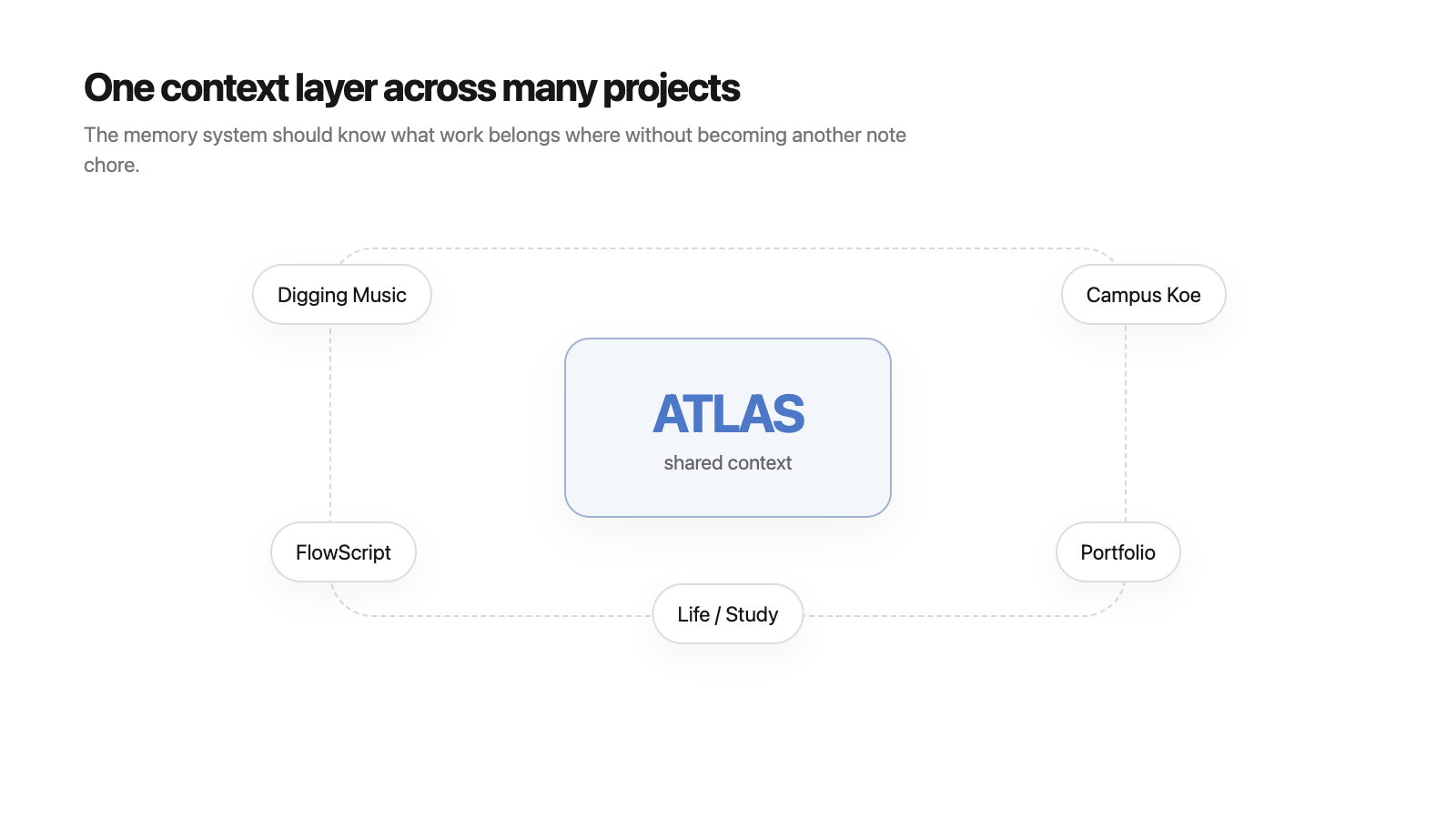
There was Digging Music, Campus Koe, my portfolio, and study notes. They looked like separate projects, but in practice they were not completely separate. A deployment pattern learned from one project would later be used in another. A thought organized in one post could become part of another product idea.
But the old setup did not show these connections well.
Each project had its own folder, its own conversations, its own notes, and often its own deployment environment. When I talked to AI, I had to explain things like, “This is about Digging Music,” “This is about my portfolio,” or “This is a direction I already decided before.”
I wanted to see this inside one environment.
The projects should not be mixed into a single messy pile, but they should be able to connect. They needed to stay separate when separation was useful, and become connected when context mattered.
At this point, ATLAS began to feel less like a chat window and more like a hub for continuing different kinds of work.
I did not want to build just another chatbot
At first, I thought a web-accessible AI app might solve many of the problems.
But with a little thought, a simple chat UI did not mean much. Wrapping Claude in another screen would not create the environment I wanted. The Claude app was already good enough, and there was no reason for me to build a worse and slower version of it.
What I wanted was not the chat window itself.
What mattered was knowing what project I was working on, what decisions I had made, what materials I often used, and how I studied and wrote. I wanted a working environment where I did not have to explain all of that again every time I talked to AI.
At this stage, I did not yet have a clear conclusion like “ATLAS must become this kind of knowledge engine.” There were just many overlapping inconveniences: local files, scattered projects, repeated explanations, disconnected conversations, and AI tools that did not talk to each other. I wanted to bundle them in my own way.
What comes before a prompt
These days, people often talk about prompt engineering or loop engineering when discussing how to use AI well.
Prompt engineering is mostly about writing a better single request. It is about giving the right role, output format, and conditions.
Loop engineering is closer to designing a work cycle. AI produces an output, the user gives feedback, the output is revised, and the result is reviewed again. For writing, coding, research, and planning, this loop matters a lot.
But the problem I felt came before that.
To write a good prompt, I needed good context first. Which project am I working on? Which direction did I reject before? Where will this writing be published? What kind of wording do I dislike? Which decisions have already been made?
These are hard to solve by pasting them into every prompt. And if I try to organize them after the conversation ends, much of the information is already gone. The hesitation, options, abandoned directions, and sudden changes in judgment are not visible in the final output.
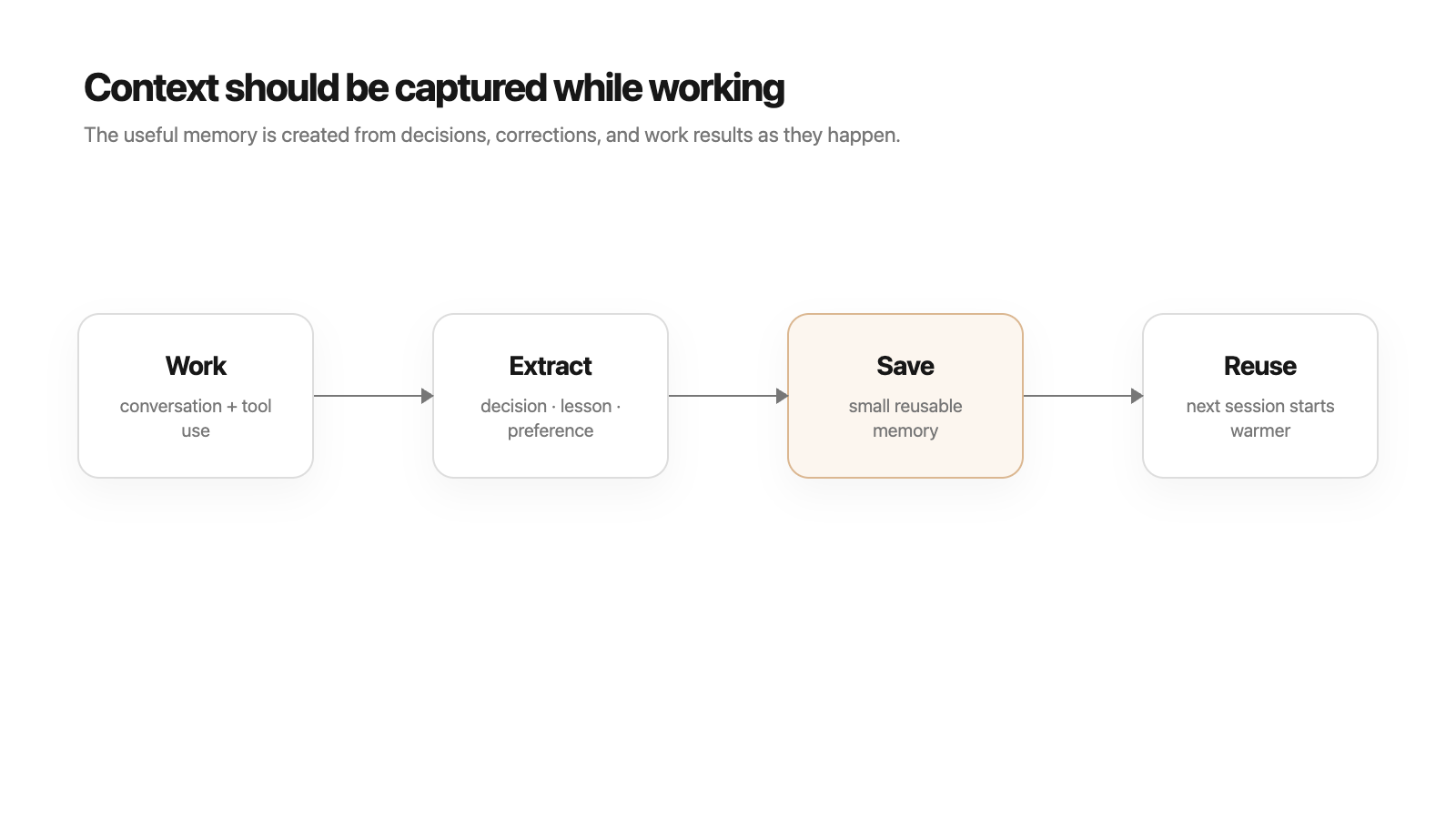
So I began to think that context should be captured while working.
Not only finished writing or final decisions, but also the traces of judgment that happen during work. That seemed necessary if I wanted AI to do more than remember what happened, and instead continue from why I thought that way.
When context becomes the bottleneck
AI models were getting better. But a better model did not automatically make my workflow easier.
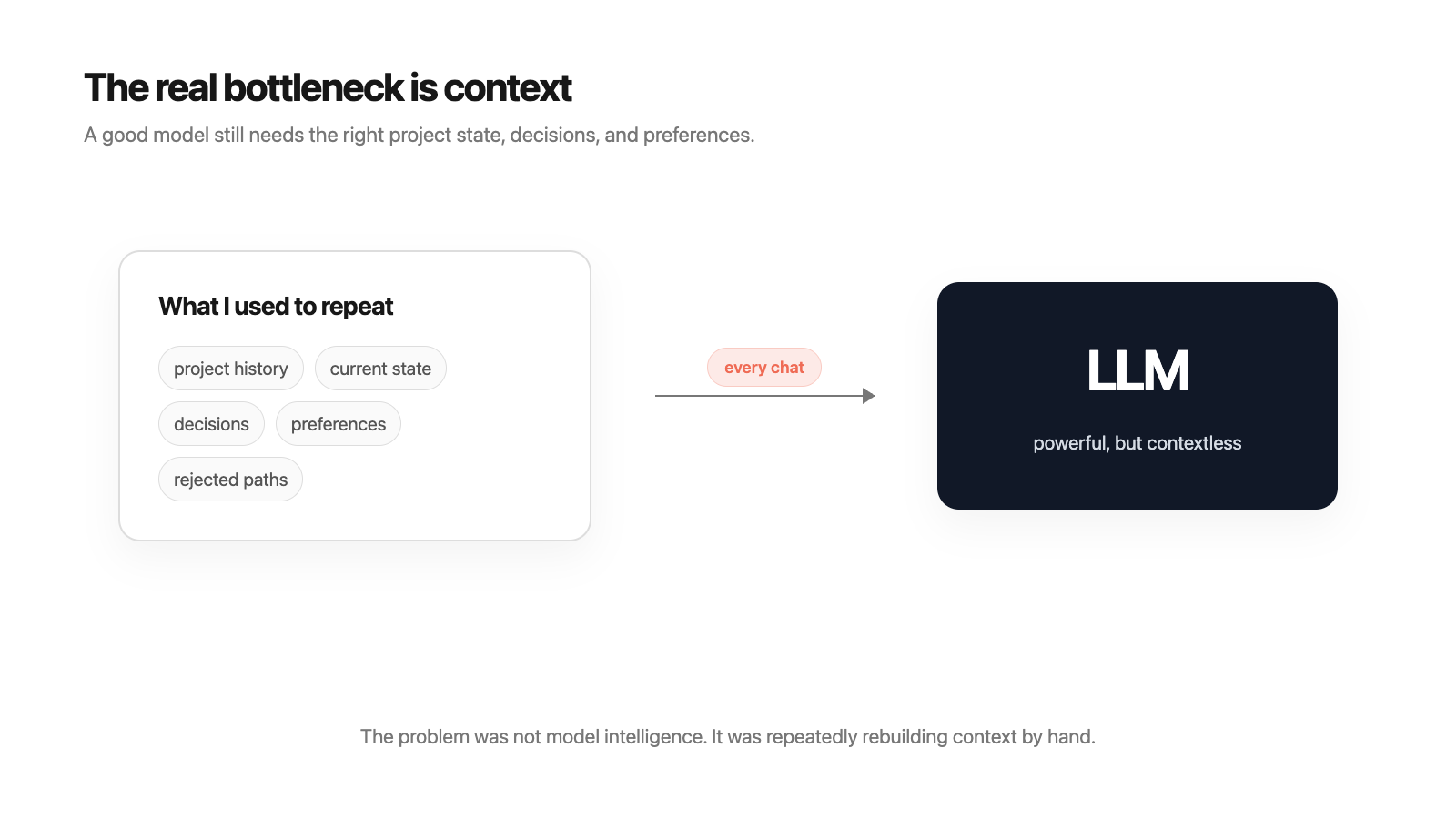
The models were stronger, but the context I gave them was still thin. If project history, current state, previous decisions, preferred wording, or recent direction changes were missing, the answer quickly became generic.
At that moment, I felt that the problem was not model capability but context delivery.
I had to explain things I already knew again and again. If I left out a small piece of context, the answer went in the wrong direction. Then I had to start again with, “No, that is not what I meant.”
That repetition was more tiring than I expected.
So the first thing I wanted ATLAS to do was not grand automation. I simply wanted to repeat less of the context I was already repeating, and to prevent that context from being trapped inside one chat window or one model.
Obsidian and Zettelkasten
Thinking this way naturally led me to tools and methods like Obsidian and Zettelkasten.
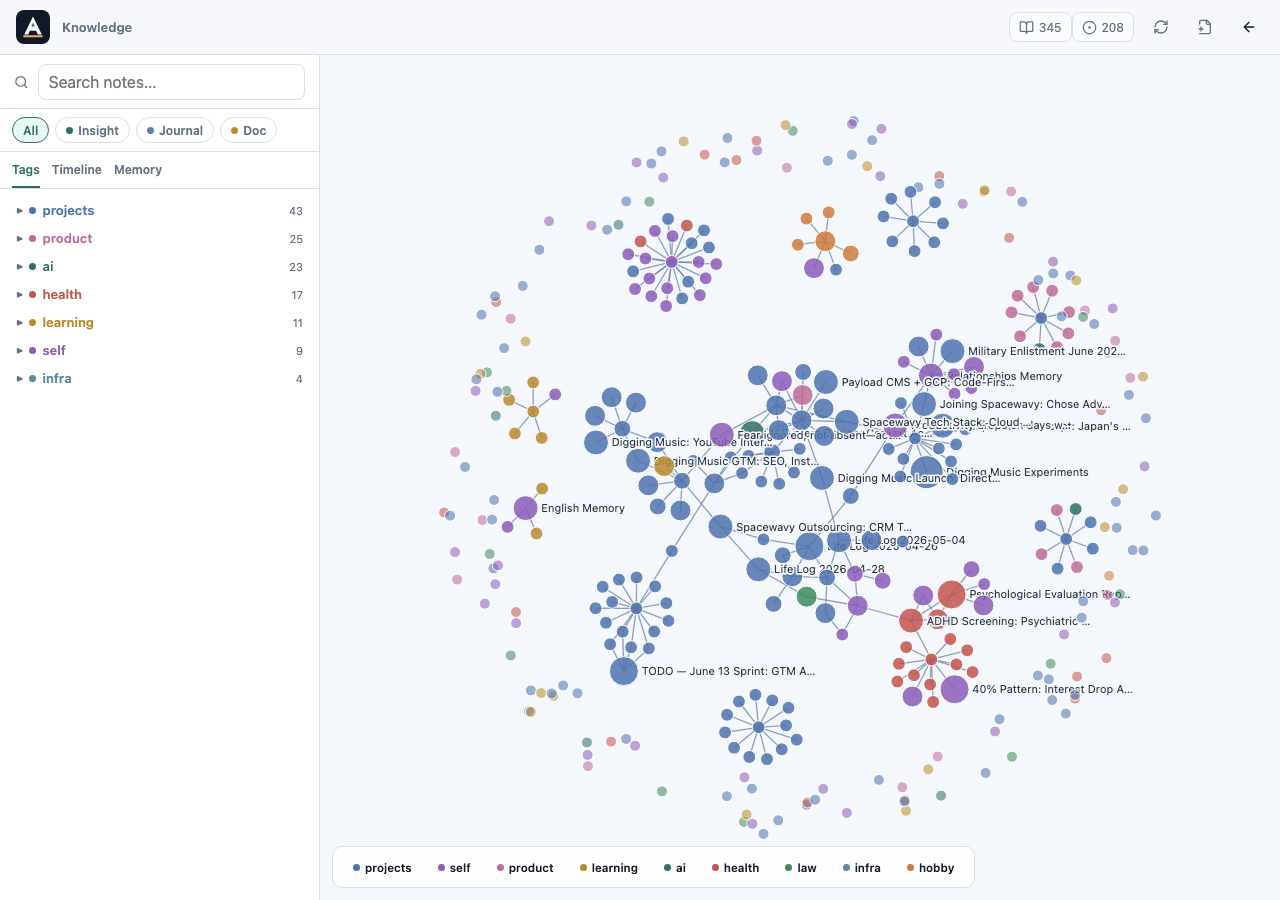
Obsidian is a knowledge management tool based on Markdown files. It stores notes locally, lets notes link to each other, and visualizes those links as a graph. I liked that my writing remained as plain files instead of being locked inside a company’s server.
Zettelkasten is more of a method. The word means “slip box” in German. The core idea is not to write one giant document from the beginning, but to accumulate small units of thought and connect them over time. Each note contains one idea, and those linked notes later become larger essays or concepts.
That approach was attractive because my projects and studies rarely become finished documents all at once. Small thoughts appear in different places and connect later.
But I did not want to simply use Obsidian as-is.
Obsidian is mainly a tool for humans to read and write. What I wanted was a knowledge structure that AI could read, judge, and use for work. A structure that is easy for a human to browse and a structure that is useful for AI are not always the same.
For example, a human can understand a document inside a “project” folder. But for AI to use that note correctly, it needs to know whether the note is a raw log, a currently valid decision, an update to an older decision, material for a future article, or a rule meant to prevent a recurring mistake.
That is why I wanted ATLAS to let me experiment with knowledge structures in my own way.
Experimenting with my own knowledge structure
At this stage, I did not know the right answer. That was exactly why I needed a system I could change while experimenting.
Some records might need to remain raw logs. Some might become reusable insights. Some might later become public documents. Some might become rules that AI should refer to in future work.
Tags were also unclear. Would simple categories like project, study, or health be enough? Would I need more precise state labels? Would links between notes be enough, or would I need relations such as supports, updates, and derivedFrom?
In the end, I was not trying to build “a better Obsidian.” I wanted an environment where I could design and change the knowledge structure around the way I use AI.
Memory that is not trapped inside one model
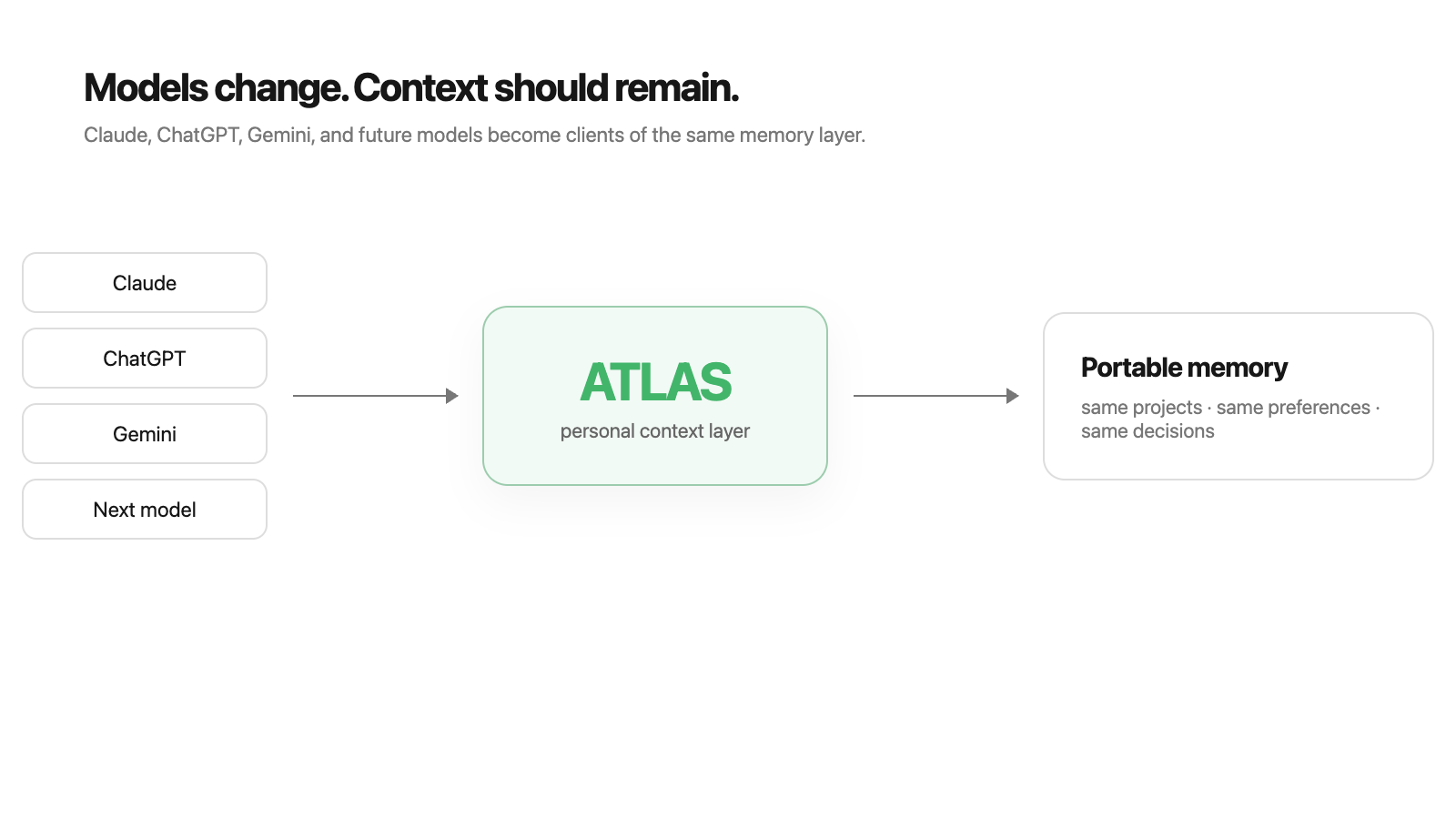
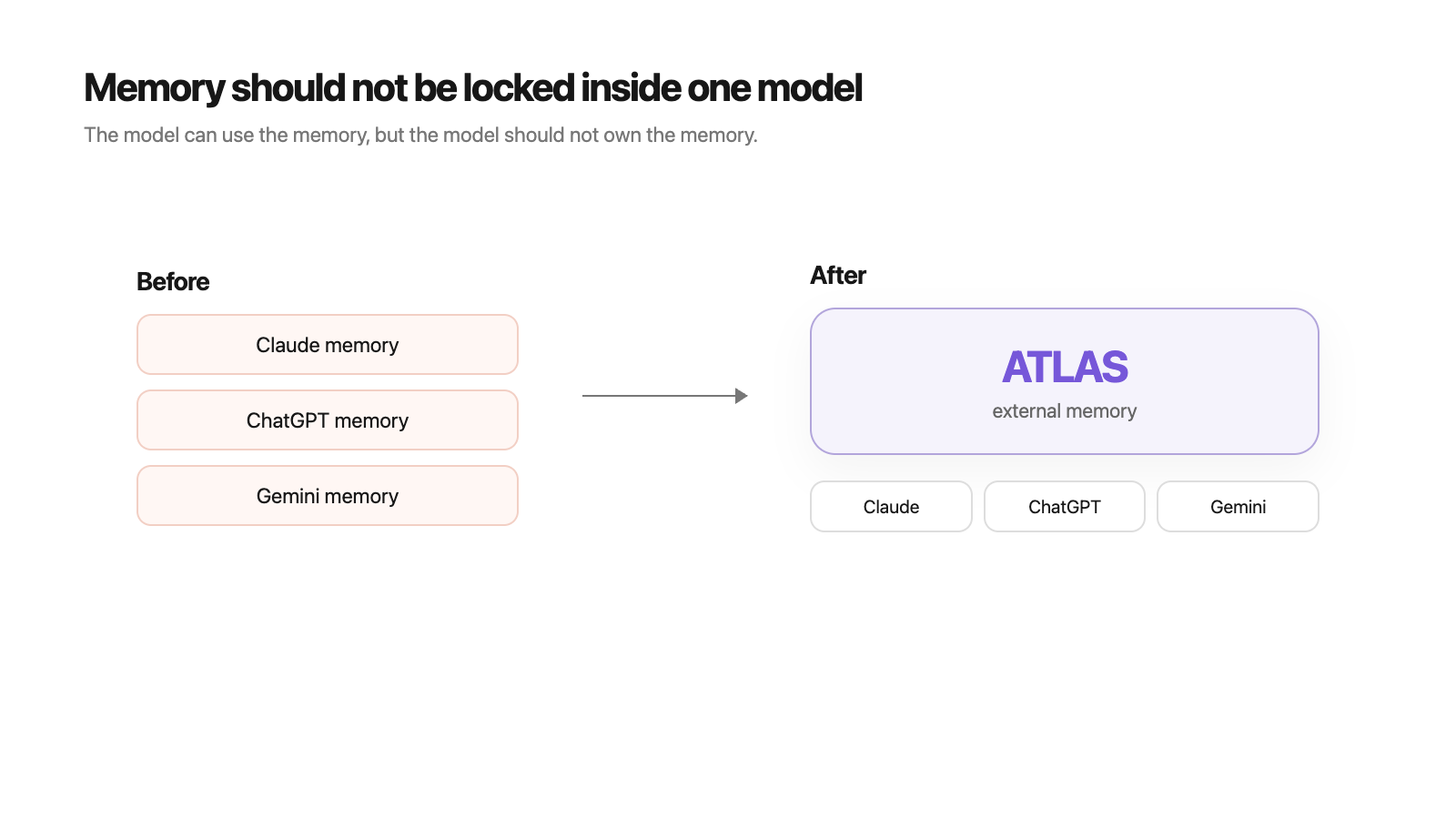
Another thing that bothered me was that memory was trapped inside specific models or apps.
A conversation in Claude stayed in Claude. A conversation in ChatGPT stayed in ChatGPT. Files I organized separately stayed in local folders. Each one was usable, but they did not naturally continue into one another.
I did not yet have a complete structure for connecting every model. But the direction was there. Even if the AI model I used changed, my project context and accumulated records should not be locked inside one app.
Models can keep changing. Today I may use Claude, tomorrow ChatGPT, and later something else. If that is true, the context I build should exist as a separate layer that I own and can adjust, not merely as a feature inside one model.
Starting point
ATLAS started from a fairly simple desire.
I wanted my working environment to stay alive even when I did not open my MacBook.
I wanted to stop repeating the same explanation every time I talked to AI.
I wanted projects, study, writing, and English learning to stop living in separate places.
I wanted to reshape the way I use AI into something closer to my own environment.
I did not know yet how far the system would go.
But one thing was clear.
I did not want to build one more AI app. I wanted to rebuild the environment in which I use AI.